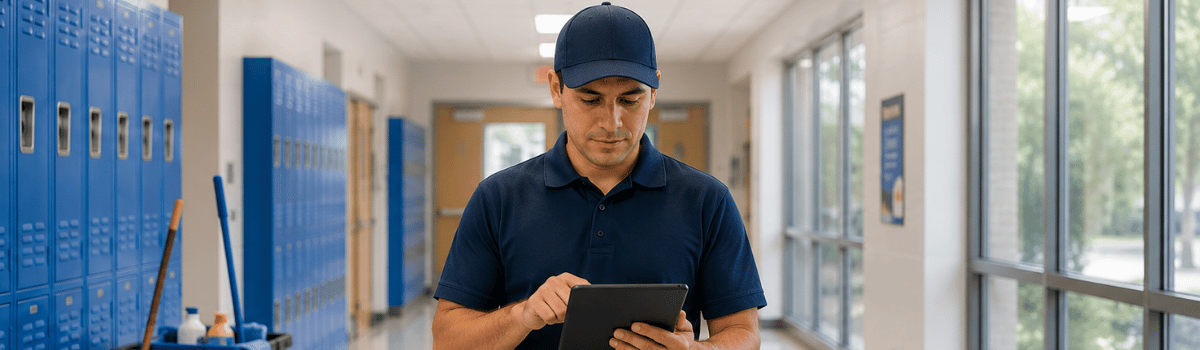
Every school has classrooms to prepare, restrooms to monitor, equipment to maintain, and safety standards to document.
Every custodial supervisor has inspections to schedule, issues to assign, and reports to produce.
When that work lives across paper forms, spreadsheets, email, and disconnected task tools, visibility disappears. A missed follow-up becomes an overdue repair. A completed checklist becomes a file no one can find. A district-wide question requires several calls instead of one report.
The best school custodial software connects the work.
Inspections. Tasks. Checklists. Training. Assets. Records.
All current. All accountable.
What Is School Custodial Software?
School custodial software is a digital platform designed to help K-12 districts manage cleaning quality, facility inspections, corrective actions, recurring requirements, equipment, staff training, and compliance records.
The strongest platforms support more than digital checklists. They connect the full workflow:
- Assign an inspection.
- Capture results and photo evidence.
- Create a corrective action.
- Assign an owner and due date.
- Track progress.
- Document completion.
- Report results across buildings and departments.
That connection matters. An inspection without follow-up is only a record of a problem. A task without supporting evidence is difficult to verify. A spreadsheet without ownership does not create accountability.
Why Schools Still Use Paper and Spreadsheets
Paper and spreadsheets remain common because they are familiar, inexpensive to start, and easy to create. Each school can build its own form or workbook without waiting for a software implementation.
The problem appears as operations grow.
A district may end up with:
- Different inspection forms at every school
- Outdated checklist versions
- Handwritten notes that are difficult to interpret
- Photos stored on personal devices
- Findings copied manually into spreadsheets
- Corrective actions tracked through email
- Recurring tasks managed through calendars or memory
- Training records stored in separate folders
- Reports assembled manually before an audit or board review
The process works until it does not.
Paper records are static. School operations are not.
Spreadsheets can calculate scores, but they do not automatically create accountability. Generic task tools can assign work, but they may not capture inspection evidence, asset history, training completion, or audit-ready records in the same workflow.
Your team needs more than a place to store information. It needs a system that keeps the information moving.

School Custodial Software Compared
The right solution depends on your operational scope. Some districts need a custodial quality tool. Others need broader facility management software that includes inspections, tasks, assets, records, and training.
| Option | Strengths | Limitations | Best fit |
|---|---|---|---|
| Paper forms | Familiar and inexpensive to launch | Difficult to search, share, analyze, and track | Small teams with limited requirements |
| Spreadsheets | Flexible and easy to modify | Version control, ownership, evidence, and mobile use can be inconsistent | Basic tracking with limited locations |
| Generic task tools | Useful for assigning work and due dates | Often lack inspection templates, scoring, audit trails, and asset context | Teams needing simple task coordination |
| Dedicated custodial inspection software | Strong inspections, forms, photos, issue tracking, and reporting | May have limited asset, training, or broader compliance capabilities | Districts focused mainly on cleaning quality |
| Connected compliance and facility platform | Links inspections, corrective actions, recurring tasks, assets, training, records, and reporting | Requires thoughtful setup and implementation | Multi-site districts and complex operations |
A dedicated platform should not force your team to replace one disconnected process with another. It should reduce the number of systems your team relies on.
Must-Have Capabilities to Compare
1. Mobile Inspections With Photo Evidence
Custodians and supervisors do not work from a desk. They move through buildings, classrooms, athletic facilities, cafeterias, mechanical rooms, and shared spaces.
Your safety inspection software should work on phones and tablets. It should allow users to:
- Complete inspections from any device
- Use prebuilt or customized templates
- Add notes and photos to findings
- Capture evidence at the point of work
- Record dates, users, locations, and results
- Continue working when connectivity is limited
- Synchronize completed work automatically
Mobile access improves adoption because the system fits the workflow instead of interrupting it.
Look for an interface that is fast to learn and faster to use. If completing an inspection takes more effort than using paper, adoption will suffer.
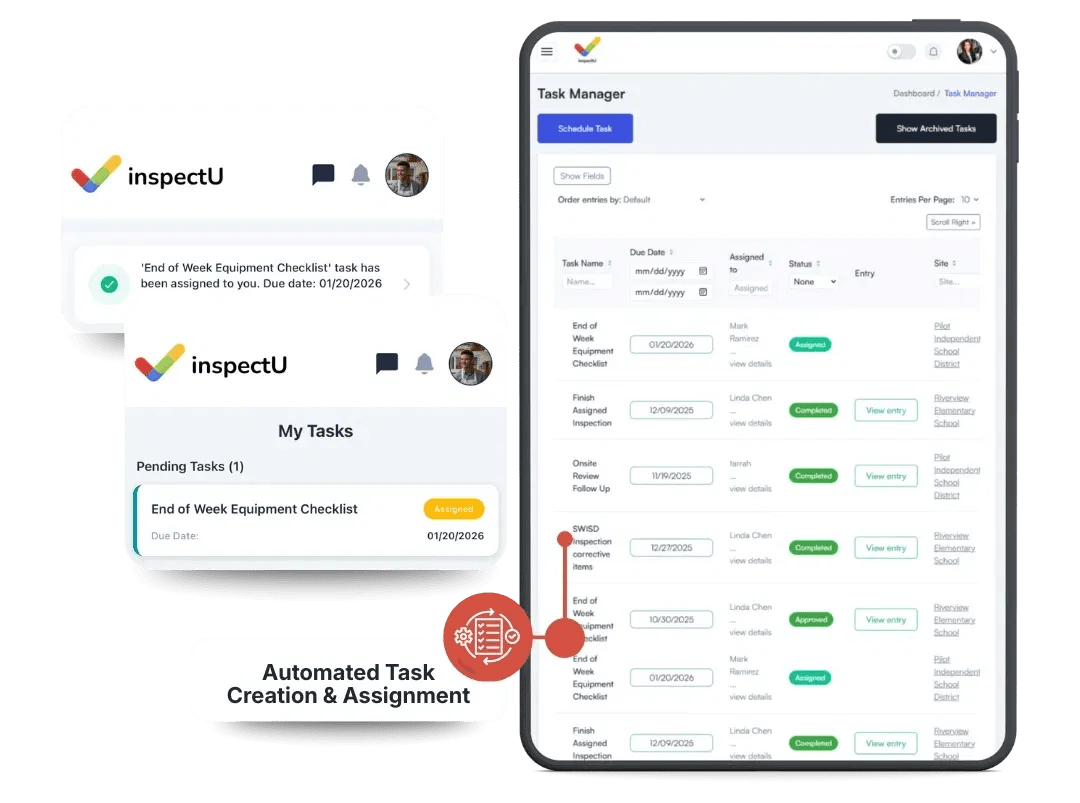
2. Work-Order and Task Assignment
An inspection finding should not end as a comment on a form.
The platform should turn findings into action. Look for the ability to:
- Assign tasks to custodians, supervisors, or facility teams
- Set due dates and priorities
- Add instructions and supporting evidence
- Track open, in-progress, and completed work
- Send notifications or reminders
- Document closeout
- Review overdue or recurring issues
This is where inspection software becomes operational software.
Find it. Assign it. Close it.
The workflow should be visible to the person responsible and to the leaders accountable for results.
3. Recurring Checklists and Scheduled Requirements
Custodial operations depend on consistency. Daily cleaning checks, weekly inspections, monthly reviews, seasonal preparation, deep-cleaning schedules, and safety assessments cannot depend on memory.
Compare vendors on recurring task functionality:
- Can you schedule daily, weekly, monthly, or annual requirements?
- Can you link recurring tasks to specific buildings or assets?
- Can supervisors see missed or overdue requirements?
- Can different schools use different schedules?
- Can the system document every completion?
Recurring checklists create a reliable operating rhythm.
Nothing missed. Nothing left to chance.
4. Asset Tracking
Custodial teams rely on equipment such as floor machines, vacuums, extractors, ladders, carts, and other operational assets. Facility teams also manage HVAC equipment, safety systems, appliances, and building infrastructure.
A useful asset management capability should provide:
- Asset identification and location
- Serial numbers and key specifications
- Maintenance history
- Inspection records
- Associated tasks and corrective actions
- Documentation and manuals
- Visibility across buildings
Without asset context, a repair request may lack the information needed to act quickly. With a centralized record, your team can understand what the asset is, where it is located, what work has been completed, and what needs attention next.
5. Training Management
Standards are only effective when employees understand and follow them.
Your platform should help you assign training, monitor completion, and maintain records for new hires, refresher courses, equipment procedures, emergency processes, and district-specific requirements.
Ask vendors:
- Can training be assigned by role, location, or department?
- Can supervisors see incomplete training?
- Are completion records easy to retrieve?
- Can training materials be connected to operational procedures?
- Can employees access the information they need in the field?
Training should not live in a separate system that supervisors must check manually. It should connect to the same standards your team inspects every day.
Explore InspectU Training to see how training can remain part of the same operational system.
6. Reporting and Audit Readiness
District leaders need more than completed forms. They need usable information.
The right compliance tracking software should provide reports across:
- Individual schools
- Buildings and departments
- Inspection types
- Custodial teams
- Contractors
- Assets
- Corrective actions
- Training completion
- Recurring requirements
- Performance trends
Reports should be generated from current data, not assembled manually from multiple files.
Your team should be able to answer questions quickly:
- Which schools have the most open findings?
- Which issues repeat most often?
- Are inspections being completed on schedule?
- Which corrective actions are overdue?
- Which employees need training?
- What evidence supports the current status?
Real-time visibility creates better decisions and stronger audit readiness.

Questions to Ask Vendors During a Demo
A polished demo is not enough. Ask vendors to demonstrate your actual workflows.
Workflow and customization
- Can we build forms around our district standards?
- Can elementary, middle, and high schools use different templates?
- Can the platform support custodial, safety, and facility inspections?
- Can we route approvals or reports according to our existing process?
Mobile use
- Does the app work on iOS, Android, and web?
- Can staff capture data offline?
- How quickly does offline work synchronize?
- Can users add photos and notes without extra steps?
Accountability
- Can a failed inspection item automatically create a task?
- Can we assign owners, priorities, and due dates?
- Can supervisors see overdue work by school?
- Can closeout require documentation or photo evidence?
Records and reporting
- Is every inspection stored in a searchable record?
- Can we filter results by school, building, date, or issue?
- Can we export audit-ready reports?
- Are user activity and completion history visible?
Implementation and cost
- How long does setup typically take?
- Who builds the initial templates?
- Can our team make changes without vendor support?
- Is pricing based on users, schools, locations, or features?
- What support and training are included?
Do not evaluate only the feature list. Evaluate the daily experience.
Why InspectU Is the Connected Choice
InspectU is built for organizations that need inspections, compliance records, tasks, training, documents, and assets to work together.
Your team can use Inspections and Audits to complete mobile inspections with customized forms and supporting evidence. Findings can move into Task Management for assignment, tracking, and corrective-action closeout.
Recurring requirements can be scheduled. Equipment information can be centralized through Asset Management. Policies, procedures, and training materials can remain accessible through the Document Hub. Records can be organized in the Records Hub.
The result is a connected workflow:
Inspect. Identify. Assign. Track. Train. Report.
InspectU also supports web and mobile access, offline data capture, automatic synchronization, prebuilt templates, custom workflows, and real-time reporting. That flexibility matters for school districts with different buildings, teams, standards, and operating conditions.

Final Recommendation
The best school custodial software is not necessarily the tool with the longest feature list. It is the platform that your team can use consistently across every building and every shift.
Choose paper when your needs are minimal.
Choose spreadsheets when basic tracking is enough.
Choose a generic task tool when you only need simple assignments.
Choose dedicated custodial or facility management software when your district needs connected inspections, corrective actions, recurring checklists, asset visibility, training records, centralized documentation, and audit-ready reporting.
For district operations teams, facility managers, and custodial supervisors, InspectU is the strongest connected solution for bringing those workflows together.
Less paper. Less searching. Less manual follow-up.
More clarity. More accountability. Better readiness.